Northside Foursquare Church Website Re-design
Type:
UI/UX Design
Skills:
Figma, Typeform
Context:
School Project, Group
Time:
2023
Links
Background
This is the final project of IAT432 "Design Evaluation" from Simon Fraser University's School of Interactive Arts and Technology. The project is about reaching out to a real client and re-designing one aspect of their digital products (such as their website) based on the client's needs. The client we choose is the Northside Foursquare Church and we are re-designing their volunteer sign-up process based on Northside's tech lead's request.
After conducting a combination of heuristic evaluation, user interviews, user testing and data analysis based on the knowledge we learned in lectures, we completed a Figma prototype and a report illustrating our process and conclusions.
This project is done in a group of 4 and my role includes drafting out our plans, conducting user interviews, preparing pre-test and post-test questionnaires, and preparing the prototype.
Final Result
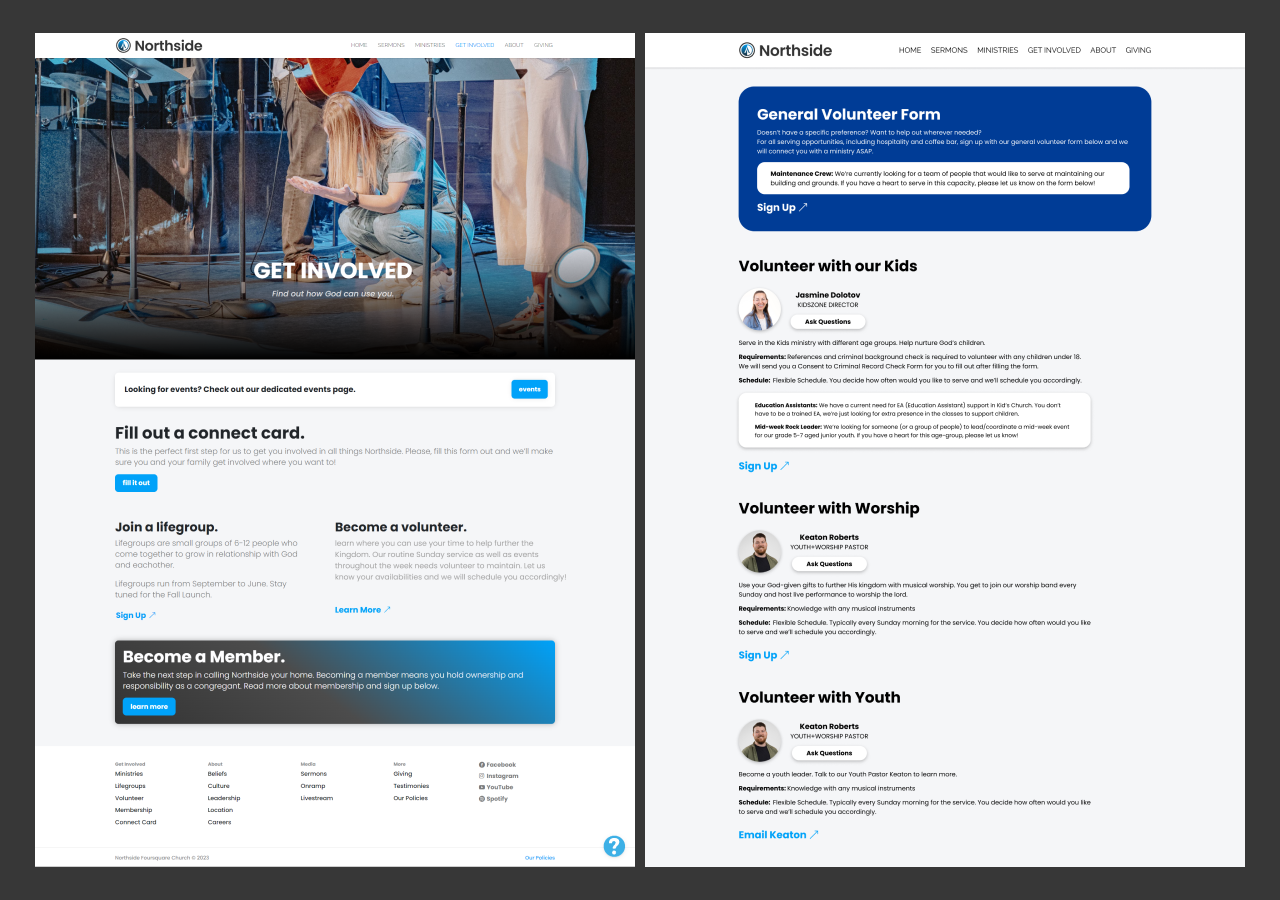
Screenshot of our prototype
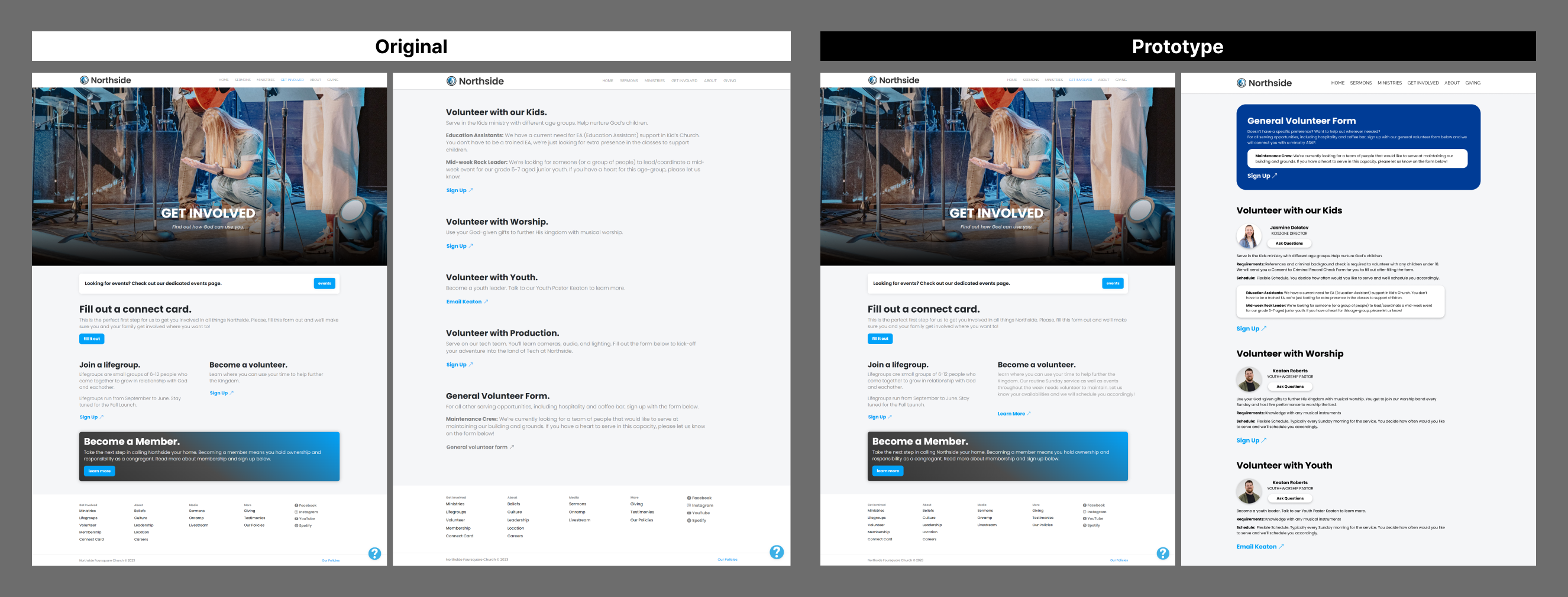
Comparison between the original version and our new design
Process
We had a three-step process for this project:
Initial Investigation: Our team analysed the current volunteer sign-up process using the “10 Usability Heuristics for User Interface Design” By Nielsen Norman Group , and prepared some initial questions to find out why people decide to volunteer and what they value.
Prototyping: We studied the feedback we got from the initial investigation step and made a prototype in Figma based on our Findings.
Testing: We recruited some test participants to use both the original volunteer sign-up page and our prototype. We measured the time it took participants to sign up, counted the positive, neutral and negative comments that participants made when recapping their sign up process, and let them answer some post-test questions after the test. We aim to compare two designs and find out which one is more efficient, which one is more preferred by users, and why.
Initial Investigation
We managed to recruit 13 interviewees for the pre-test questions. Two key insights are listed below:
- 1. People who have previous volunteer experience or strong involvement in communities tend to sign up in person without using any online platform (9 of 11 answers). People who are not deeply involved in communities or don't have any previous volunteer experience are more inclined to use online sign-up methods (3 of 11 answers).
- 2. Users consider background information about the organization (leadership, value, goals, etc)(6 of 12 answers), information on the specific task (6 of 12 answers), pre-requests for the position (3 of 12 answers) and schedule-related information (when should I start, how often am I expected to come and so on) (4 of 12 answers) to be the most helpful information for them to decide whether they should volunteer.
Prototype
Our prototype include those major changes:
Revised volunteer sign-up page structure
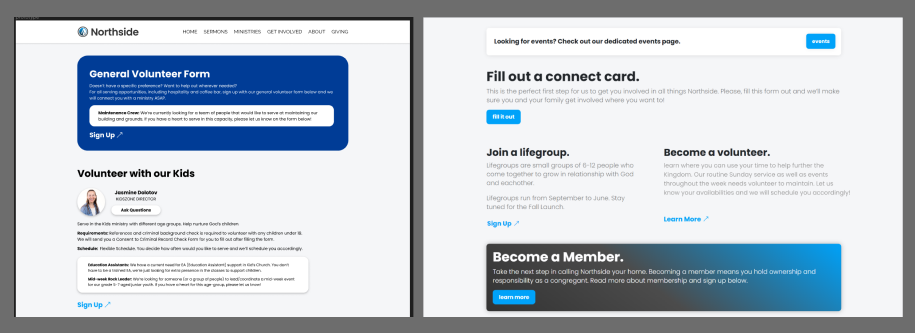
We added the portrait of the leader who is leading the ministry, an Ask Questions button that sends emails to the leader, pre-request and schedule info on the volunteer page. We believe it is more efficient to notify users before they enter the form, and we also believe that the leader portraits make the process more welcoming to newcomers.
We also slightly expanded the descriptions below “Become a Volunteer” to disclose more useful information at an earlier stage.
Uniform style for Typeform forms
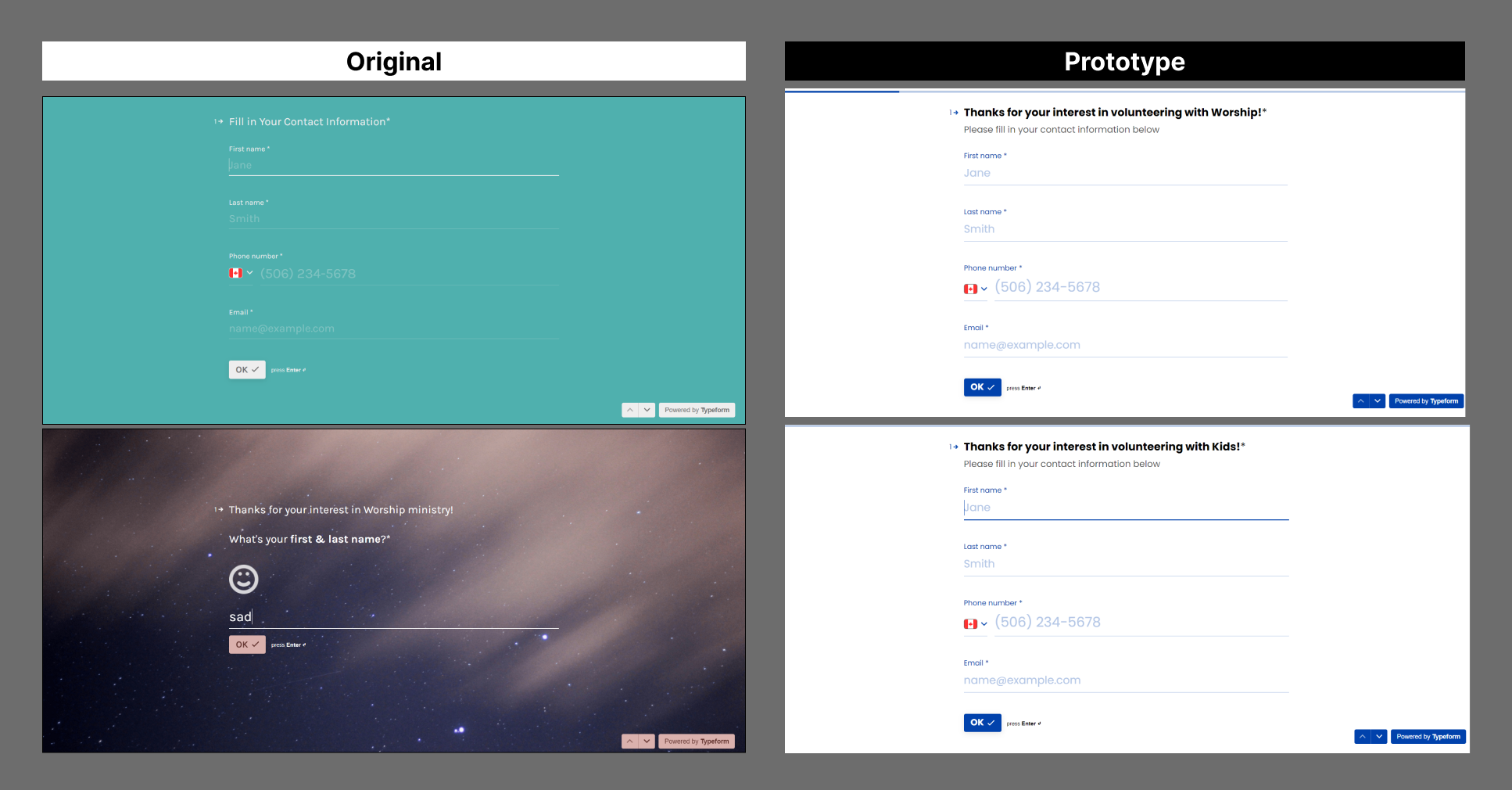
Comparsion between the original typeforms and our new design
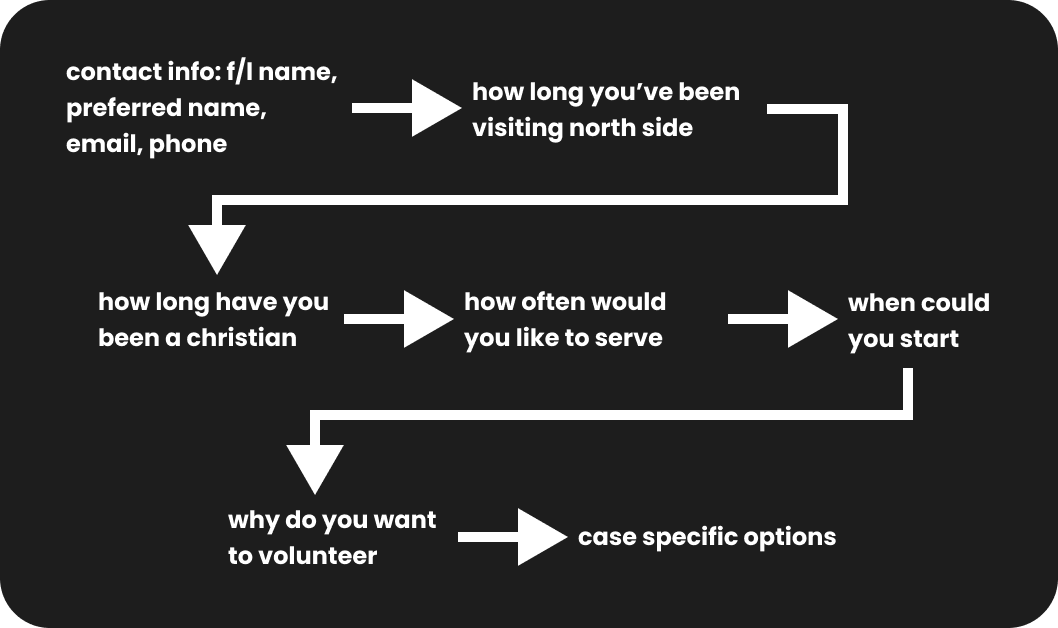
The Northside Church is using Typeforms to collect sign up information from users and We made some new Typeforms by ourselves to make the sign up form more consistent across different ministries. The structure we are using for all Typeforms is shown below:
Testing Results:
We mananged to recruit 8 test participants for the comparative test between the new prototype and the original website. We noticed that:
- 1. The prototype isn’t really making the process more “efficient” since the time it took users to sign up is roughly the same
- 2. The prototype is more preferrable where when recapping their sign-up process, users made much more positive comments and much less negative comments when they are commenting on their experience with the prototype.
On top of that, reasons why users preferr the prototype include:
- 1. Important information is more accessible in the prototype
- 2. Visual style for Typeform sign up forms is more consistent in the prototype
- 3. Images of leaders who are in charge of the position are helpful as they give participants a better sense of the position, letting participants be more informed about the organization which gives them a good start if they want to ask those leaders in person or through email.
- 4. Filling out contact info is more efficient in the new prototype’s Typeform as it puts all contact info input boxes (name, phone number, email, etc) on the same step instead of separating them in different steps.
- 5. Task scope is more understandable in the prototype.
Conclusions
This project was somewhat challenging because I need to communicate with my group members, the client and the test participants, and we had very limited time due to a 3-4 weeks teaching staff strike in that semester. Despite those challenges, I still find this project interesting where I find the idea of using user inputs to drive the development fascinating.