Jetour Home Page Demo Development
Created by: Stone Yuan Category: Programming, Project Status: Done
Type:
Front-end development
Skills:
HTML, CSS, Javascript
Context:
Front-end development Internship project
Time:
August 2023
Relevant Code
The links listed below were written by me for this project
HTML
https://github.com/stoneYuan3/jeTourDemo3/blob/master/index.html
CSS
https://github.com/stoneYuan3/jeTourDemo3/blob/master/styles/themes.css
JQuery
https://github.com/stoneYuan3/jeTourDemo3/blob/master/script/global.js
Asked to develop a home page demo for Jetour’s home page based on design specifications from the design team. Developed a home page demo with complex animation using HTML, CSS, JQuery and the Swiper.js slider plug-in.
Gain:
Gain advanced knowledge on implementing complex animation for websites.
Demo:


Process/Challenge:
The most challenging part of this project is the banner slider transition animation. Each banner slide is separated by three circles of different sizes and is expected to rotate at different speeds when sliding to the next slide. Although I was familiar with relevant skills such as Swiper Slider plugin and CSS animation at the time, I had never dealt with such complex animations before.
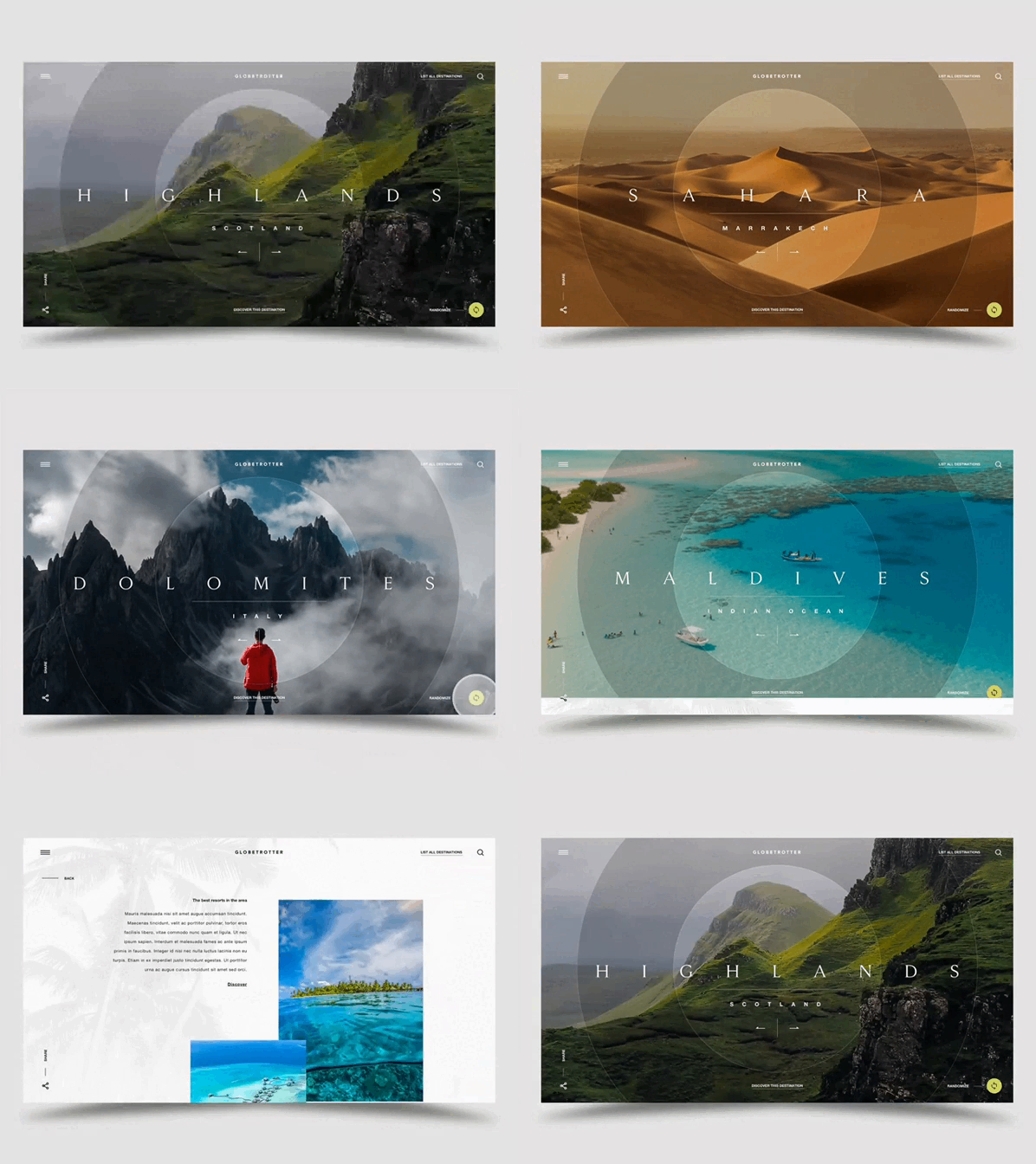
Expected Outcome
After carefully analysing the structure of the animation in the demo, I decided to tackle the problem by setting up three independent HTML elements for the banner. Each HTML element represents one circle and they are animated separately.
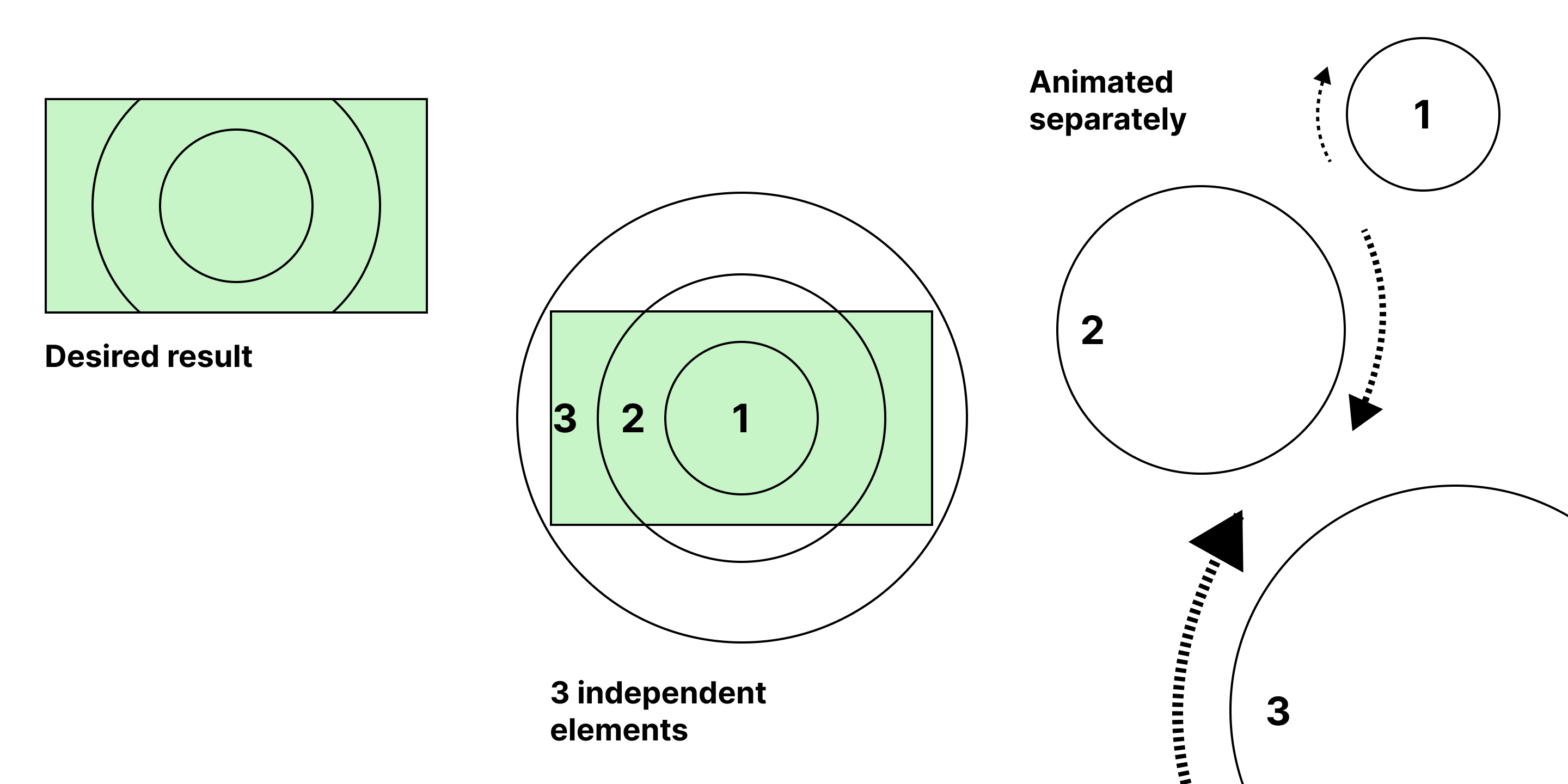
Realizing that just rotating the image is not enough to achieve the desired result, I decided to apply two layers of animation. While the rotation animation is realized with CSS animation, the fade effect in the video demo is realized with Swiper’s crossfade feature instead. This ensures that the image will rotate and fade at the same time during the transition just as the original demo video showcased.
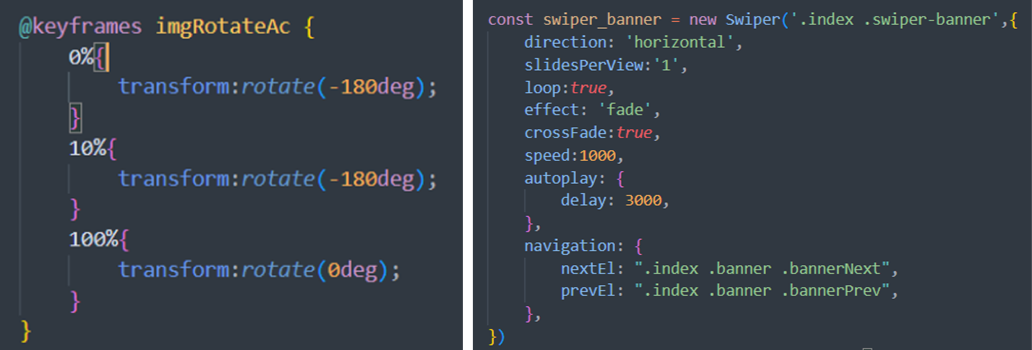
Left: CSS animation. Right: Swiper transition animation
The base for the banner animation is done at this moment, however, a new issue arises where the image can’t seem to cover the entire banner area when rotating.

Screen record for a quick report to my co-worker demonstrating the issue
To solve this issue, I attempted to scale up the images during the transition, hoping this would be enough to cover the entire banner area. However, it appears that scaling the image a little is not sufficient while scaling the image too much will break the animation. To tackle the issue, I requested the design team to make the images square and applied a small scale up to images during transitions to achieve the desired result.
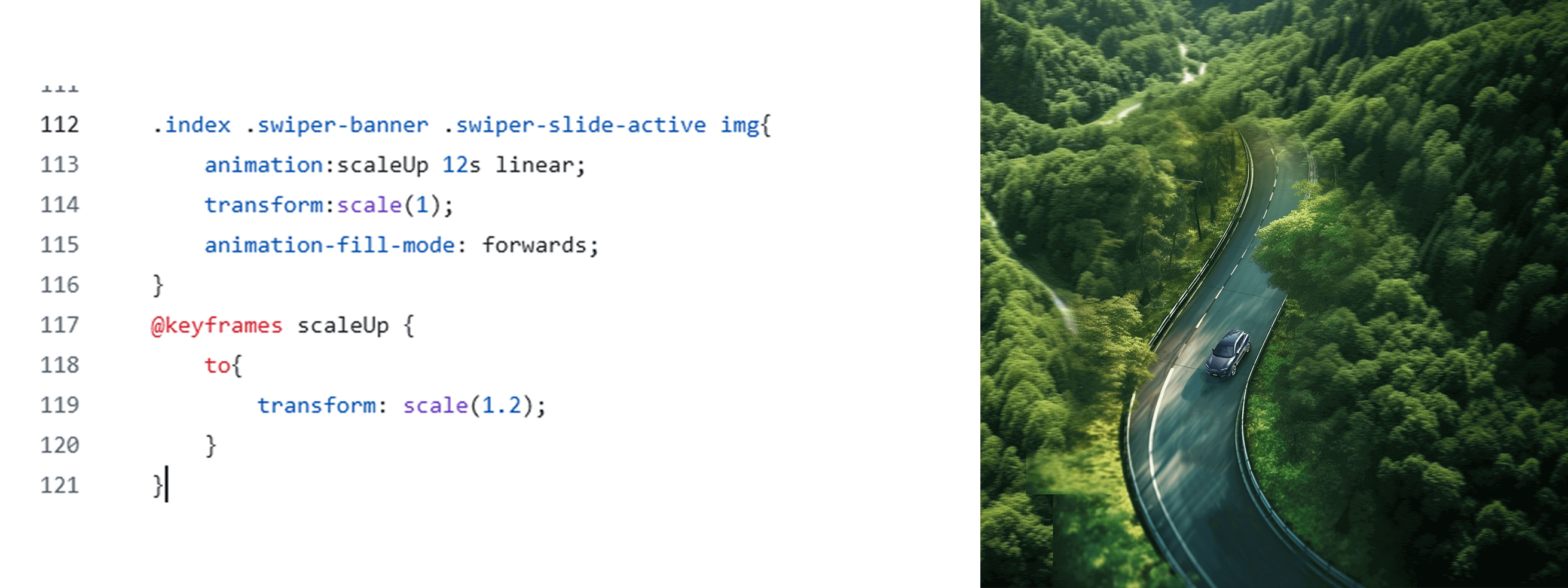
Left: The code that scales the image up. Right: The background image. I asked the design team to provide a square background.